

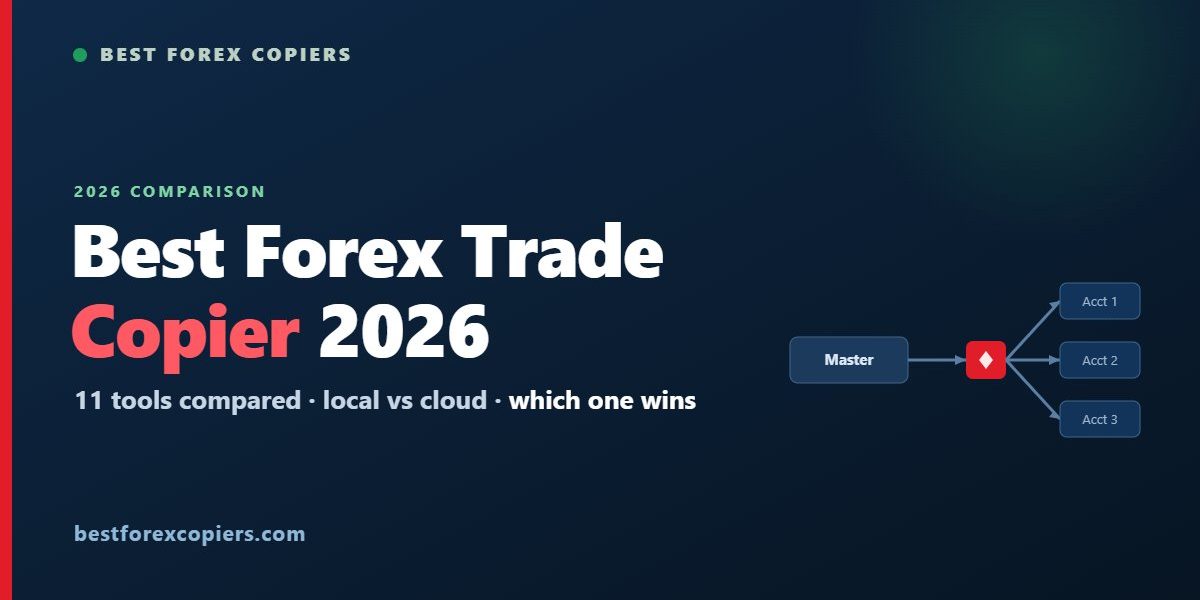
Picking a forex trade copier is really an exercise in matching one tool to your exact setup: which platforms you run, whether everything sits on one PC or spreads across a VPS, how fast your strategy needs to be, and whether a prop firm is in the picture. There is no single “best” copier for everyone — but there is a best copier for your situation. Below is our independent 2026 comparison of the trade copiers traders ask about most, with an honest note on who each one actually suits.
Forex trade copier comparison at a glance (2026)
| Copier | Platforms | Local / Cloud | Cross-broker | Pricing | Best for |
|---|---|---|---|---|---|
| HFT Forex Copier | MT4, MT5, cTrader, FIX, DXtrade, Match-Trader | Local (+ remote/VPS) | Yes, any-to-any | One-time license | Multi-platform & professional use |
| Forex Copier | MT4, MT5, cTrader | Local + remote | Yes | One-time license | Multi-account across MT & cTrader |
| 本地貿易影印機 | MT4, MT5 (DXtrade limited) | Local | MT-focused | Paid license | MetaTrader signal sellers & prop |
| TTFX Trade Copier | MT4, MT5 | Local + remote | Yes | Paid (on request) | Signal providers on MetaTrader |
| FX Blue Personal Copier | MT4, MT5 | Local (same PC) | MT-only | Free | Simple MT4/MT5 copying on one PC |
| cTrader Copy | cTrader | Built-in | cTrader-only | Free to follow | Traders inside cTrader |
| MetaCopier | MT4, MT5, cTrader, TradeLocker, DXtrade, Match-Trader (+ crypto/US) | Cloud | Yes, broad | Subscription | Multi-platform, multi-asset cloud |
| Traders Connect | MT4, MT5, cTrader, Match-Trader, TradeLocker, DXtrade (+ futures) | Cloud | Yes | Subscription | Multi-account forex/CFD/futures |
| DaneTrades | MT4, MT5, cTrader, TradeLocker, DXtrade, Match-Trader | Cloud | Yes | Subscription | Hands-off cloud & prop copying |
| Duplikium | MT4, MT5, cTrader, FIX | Cloud | Yes | Subscription | Managers wanting a hosted panel |
| Social Trader Tools | MT4, MT5 | Cloud | MT-only | Subscription | Signal providers, hosted |
How we compared them
We weighed the things that actually change outcomes rather than marketing claims:
- Platform coverage — can it copy between the platforms you actually use, including cross-platform (for example an MT4 master to a cTrader slave)?
- Local vs cloud — local copiers keep everything on your machine (privacy, lowest latency); cloud copiers are hosted (convenient, but add a network hop and a third party).
- Speed — how quickly a master trade reaches the slave; critical for scalping and news, less so for swing copying.
- Cross-broker & risk controls — lot scaling, reverse copy, symbol/magic filters, and whether it copies across different brokers and account currencies.
- Pricing model — free, one-time license, or recurring subscription, and the true cost over a year.
- Prop-firm fit — whether the tool and its execution style suit funded-account rules.
Local vs cloud: the choice that matters most
Before comparing features, decide where the copier should run. A local copier installs on your own PC or VPS and sends orders straight to your brokers — that means the lowest possible latency and no third party in the execution path, at the cost of keeping a machine running (a cheap VPS solves that). A cloud copier runs on the provider’s servers and you manage it from a browser — nothing to install or maintain, but every trade takes an extra network hop and you pay a monthly fee. Speed-sensitive or privacy-conscious traders lean local; traders who want zero maintenance across many accounts lean cloud.
The copiers, reviewed honestly
Local & desktop copiers
HFT Forex Copier — best overall for multi-platform. The most versatile tool on this list. It copies any-to-any across MT4, MT5, cTrader, FIX API, DXtrade and Match-Trader, runs locally for sub-second execution (with remote/VPS options), and includes the professional touches that matter across brokers: flexible lot scaling, reverse copy, order and risk filters, and discretion features. It is a one-time license rather than a subscription. If you only ever copy MT4-to-MT4 on one PC it may be more than you need — but for anything cross-platform, multi-broker, or professional, it is the strongest all-round choice and our top pick. See the HFT Forex Copier site for current platforms and licensing.
Forex Copier (Forex Tester Software) — solid one-time-license all-rounder. A long-established copier covering MT4, MT5 and cTrader, sold as a one-time license with a separate “Remote” edition for copying between different PCs or VPSs. Good lot-sizing, reverse mode and filtering. It covers the mainstream MT/cTrader combinations well; it does not reach FIX or the newer prop-firm platforms, so it sits a notch below the broadest tools on coverage.
Local Trade Copier — MetaTrader signal sellers and prop. A capable paid, locally-run copier focused on MT4/MT5 (with limited DXtrade support), popular with signal sellers and managers who value keeping execution off third-party cloud. It does not reach cTrader or FIX, so it is a MetaTrader-ecosystem tool rather than a cross-platform one. (You may also see it marketed under the mt4copier.com address — it is the same product.)
TTFX Trade Copier (TradeToolsFX) — for MetaTrader signal providers. An MT4/MT5 copier that works both locally and remotely over the internet, letting one provider copy to many local and remote recipients with per-recipient subscription controls. Aimed at signal providers and pros; pricing is quote-based rather than published, and it stays within MetaTrader.
FX Blue Personal Trade Copier — the best free option, with real limits. Genuinely free and well established, FX Blue copies between MT4 and MT5 terminals on the same machine with solid lot and risk settings. The catch is the limits: MT4/MT5 only, same-PC, and no cross-platform or professional support. It is the right answer if you want to copy a single master-to-slave setup on one computer for nothing — but the moment you need cross-platform copying, multiple brokers, FIX, prop-firm platforms or serious speed, you will outgrow it and want a full copier instead.
Cloud copiers
MetaCopier — broadest cloud coverage. A browser-based, zero-install copier with an unusually wide reach: MT4, MT5, cTrader, TradeLocker, DXtrade, Match-Trader and TradingView, plus crypto exchanges and some US brokers. Billed as a metered subscription. If you want one cloud panel spanning forex, prop platforms and other asset classes, it is a strong option — keeping in mind the usual cloud trade-off of an added hop versus local execution.
Traders Connect — multi-account across forex, CFDs and futures. A 100% cloud service (no software, no EAs, no VPS) covering MT4, MT5, cTrader, Match-Trader, TradeLocker and DXtrade, plus a range of futures platforms, billed per account per month. A good fit for traders synchronising many accounts across mixed asset classes who want analytics and risk controls in one dashboard.
DaneTrades — hands-off cloud copying for prop. A cloud copier (no desktop app, no VPS to rent) covering MT4, MT5, cTrader, TradeLocker, DXtrade and Match-Trader, with Telegram as a signal source, billed per connected account. Aimed at multi-account and prop-firm traders who want automation without maintaining infrastructure.
Duplikium — a cloud panel for managers. A hosted copier covering MT4, MT5, cTrader and FIX from a web panel, on a subscription. Convenient for money managers who want nothing installed locally, at the cost of a network hop and a third party in the execution path — reasonable for slower strategies, less ideal for latency-sensitive ones.
Social Trader Tools — hosted copying for signal providers. A cloud service for MT4/MT5 aimed at signal providers who want hands-off hosting and subscriber management. The same cloud caveats apply: convenient and maintenance-free, but with added latency and a recurring cost.
Built into the platform
cTrader Copy — free inside cTrader. Built directly into cTrader, it is the best free native option if you live in the cTrader ecosystem: zero install, equity-to-equity scaling and vetted strategy stats. It only works within cTrader, so it is not a cross-platform solution.
What we left out, and why
A few tools people ask about did not fit a forex-copier comparison. Tradecopia is a capable copier but a futures-only one (Tradovate, NinjaTrader, Rithmic and similar) with no MT4/MT5 or cTrader support, so it belongs in a futures round-up rather than here. FxCore CRM Copy Trading is a white-label copy-trading module built for brokerages to offer their clients, not a tool an individual trader buys and runs. Both are legitimate — just aimed at a different audience than the traders choosing a copier for their own accounts.
Which one should you pick?
Match the tool to your setup rather than chasing a single winner:
- Only MT4/MT5 on one PC, budget zero: FX Blue Personal Copier.
- Inside cTrader only: cTrader Copy.
- MetaTrader signal seller who wants to own the software: Local Trade Copier, TTFX Trade Copier or Forex Copier.
- Zero-maintenance cloud across many accounts or prop platforms: MetaCopier, Traders Connect or DaneTrades.
- Manager wanting a hosted cloud panel: Duplikium.
- Cross-platform, multi-broker, low latency, or prop-firm work: HFT Forex Copier.
Bottom line
Every copier here is the right answer for someone. If you just want to copy MT4/MT5 on one machine for free, FX Blue does the job — as long as you can live with its limits. If you need the widest platform coverage, local sub-second speed and professional controls in a single tool, HFT Forex Copier is our top overall pick for 2026. Decide by your platforms, your speed needs, and whether a prop firm is in the picture — then the “best” copier picks itself.
 Chinese
  English
  Spanish
  Portuguese
  Japanese